Design system framework
A playbook for how to incrementally evolve documentation.
Without documentation, a design system is just a set of component libraries and code repos.
The principles and guidelines tie everything together. And while some intent can get programmatically built in, good old-fashioned content is still largely what helps people understand how to extend the design language in their projects.
Instead of including usage guidance for every edge case, system documentation is better served helping teams extend the foundations into their projects. In other words, design systems are a compass, not a map.
Challenge
I joined Infor to help their design system better communicate its intent. The documentation had grown to support over 100 components across 3 code frameworks and had become siloed between design and dev.
Design systems often fall short when they rely too heavily on the designer vs. developer dichotomy to determine taxonomy and content structure. While each discipline has its own perspectives and specialties, they ultimately share the same end goal. The more that docs can clearly speak the same language to both groups, the better.
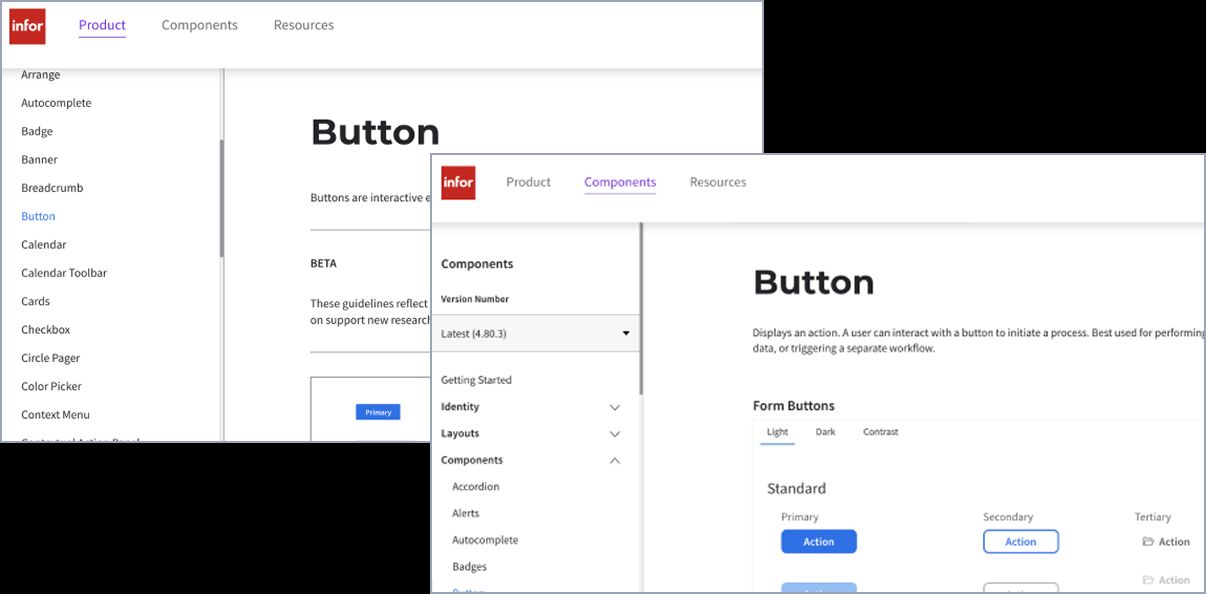
Designers and developers initially had separate sets of guidelines.
How I helped
Defining content types
What makes design system documentation complex to create, publish, and maintain is that each project contains its own blend of requirements, constraints, and ways of working.
Through conversations with designers, devs, and product managers, I learned that there were 4 distinct types of content that people relied on the documentation site for. But for most, which content type was dependent things like project phase or familiarity with a given component.
Design system content types:
- task guidance (e.g., how to use a button effectively)
- foundational concepts (e.g., info on design tokens and how to use them)
- supporting examples (e.g., boilerplate code or illustrative examples)
- specific data (e.g., a component prop)
Adapting a documentation framework that’s often used in broader software docs, I made it simpler for teammates to scale similar details across different types of content, based on the context of the user task.
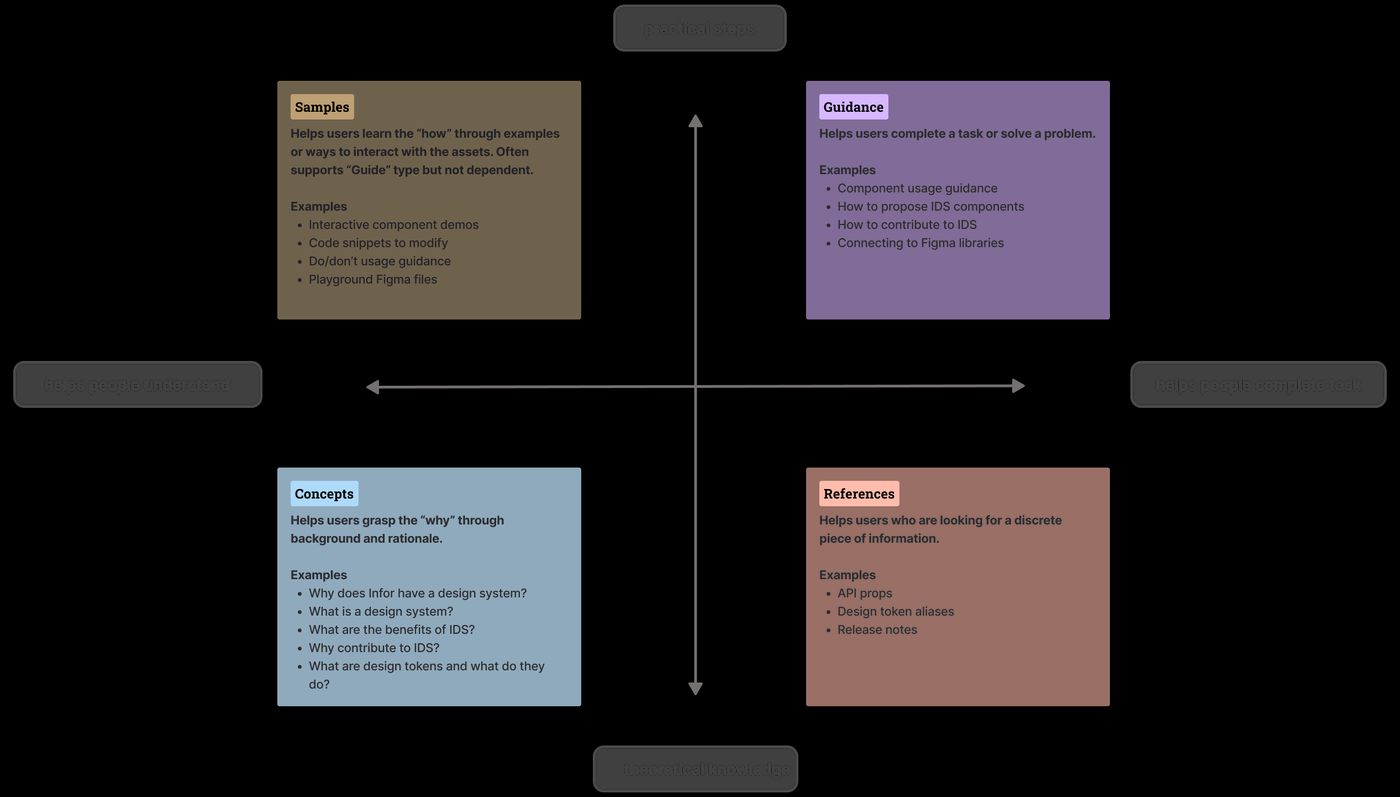
The 4 types of design systems content.
Using this framework ensured we were providing information in the right context while still doing our best to stay out of users’ way.
Incorporating these content types made the docs simpler to create and more efficient to scan. We received feedback from consuming teams that the documentation site felt more organized and that both designers and developers had a better sense for where to find different information.
Reusable content
Nearly every GitHub pull request or update to the Figma library impacts the documentation. While the design and code assets are usually synced in some way, the docs rarely are.
Rather than manually maintaining the same content across multiple pages, I used the Create Once, Publish Everywhere strategy to reuse modular content across different locations. This allowed more flexibility in contextually revealing content without the tradeoff of requiring extra maintenance.
Examples of reusable content:
- component names and descriptions
- component variants
- interaction states
- token names and descriptions
- usage from related components
- common accessibility guidance
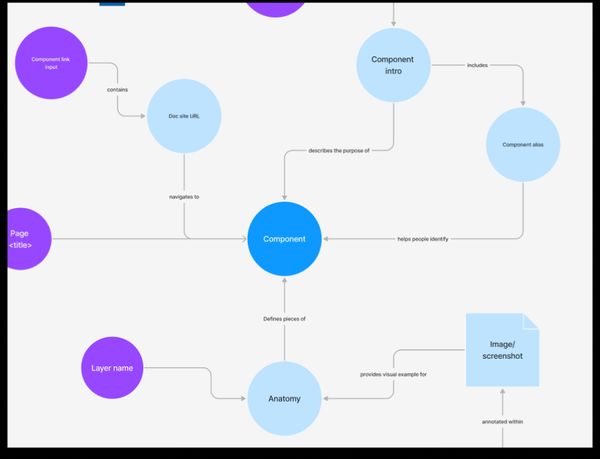
Mapping the relationships between system assets gave more visibility into how data could be connected across the doc site, Figma, and GitHub.
It was worth the upfront effort to set up the content structure in the CMS, as presenting modular component guidelines saved a lot of time and maintenance in the long run.
In this project, we used both Wordpress and docs in GitHub – I’m interested in exploring more fully headless options in the future.
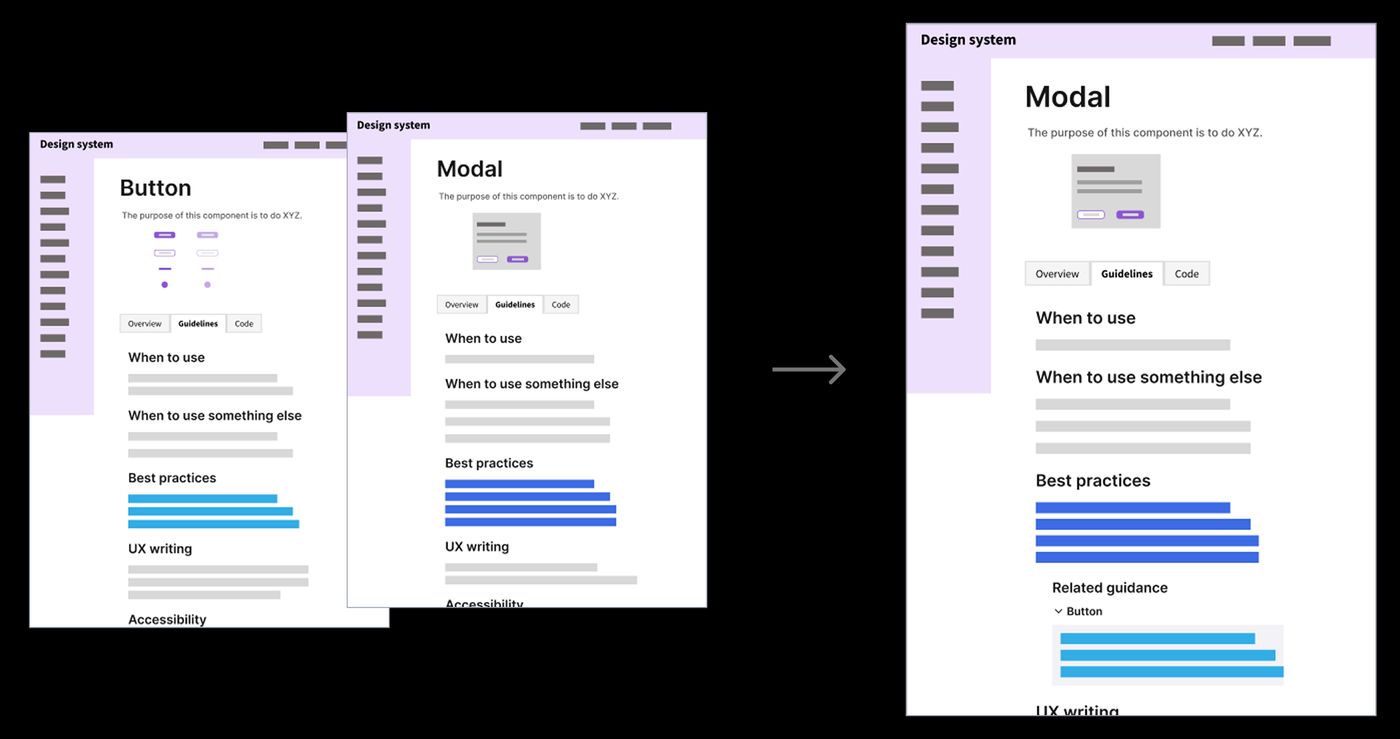
Configuring the CMS to display relevant component usage for atomic elements.
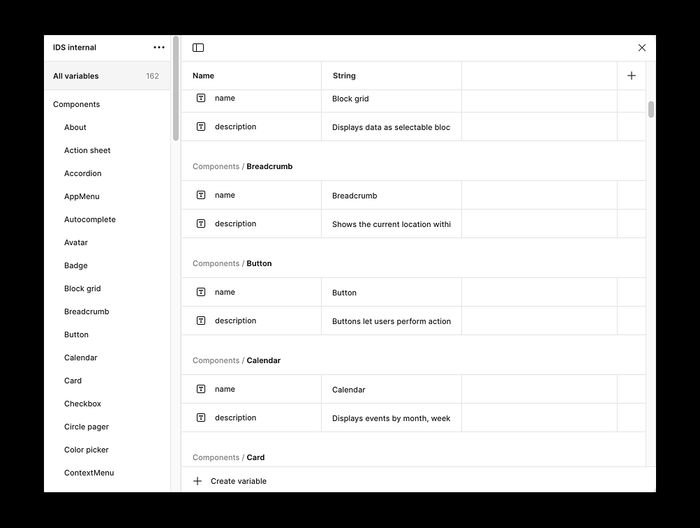
Maintaining an internal Variables collection in Figma to scale consistent metadata across the design library files.
Governance
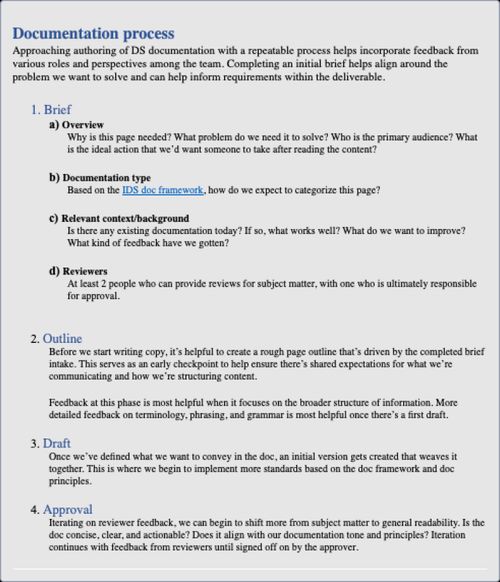
To establish a more intentional documentation culture and gain closer collaboration on some of the bigger content updates, I introduced documentation briefs. It included steps to define problem statements and opportunities to discuss messaging with leadership when needed.
We treated documentation tasks similar to design ones within sprint cycles and Jira boards. Over time, our reactive documentation transformed into a more predictable publishing cadence with built in stakeholder feedback loops.